AI Anime Video Creator
Turn an adult portrait or single character illustration into a 15-second anime-style video. Create a short scene with 2D styling and a preset action.
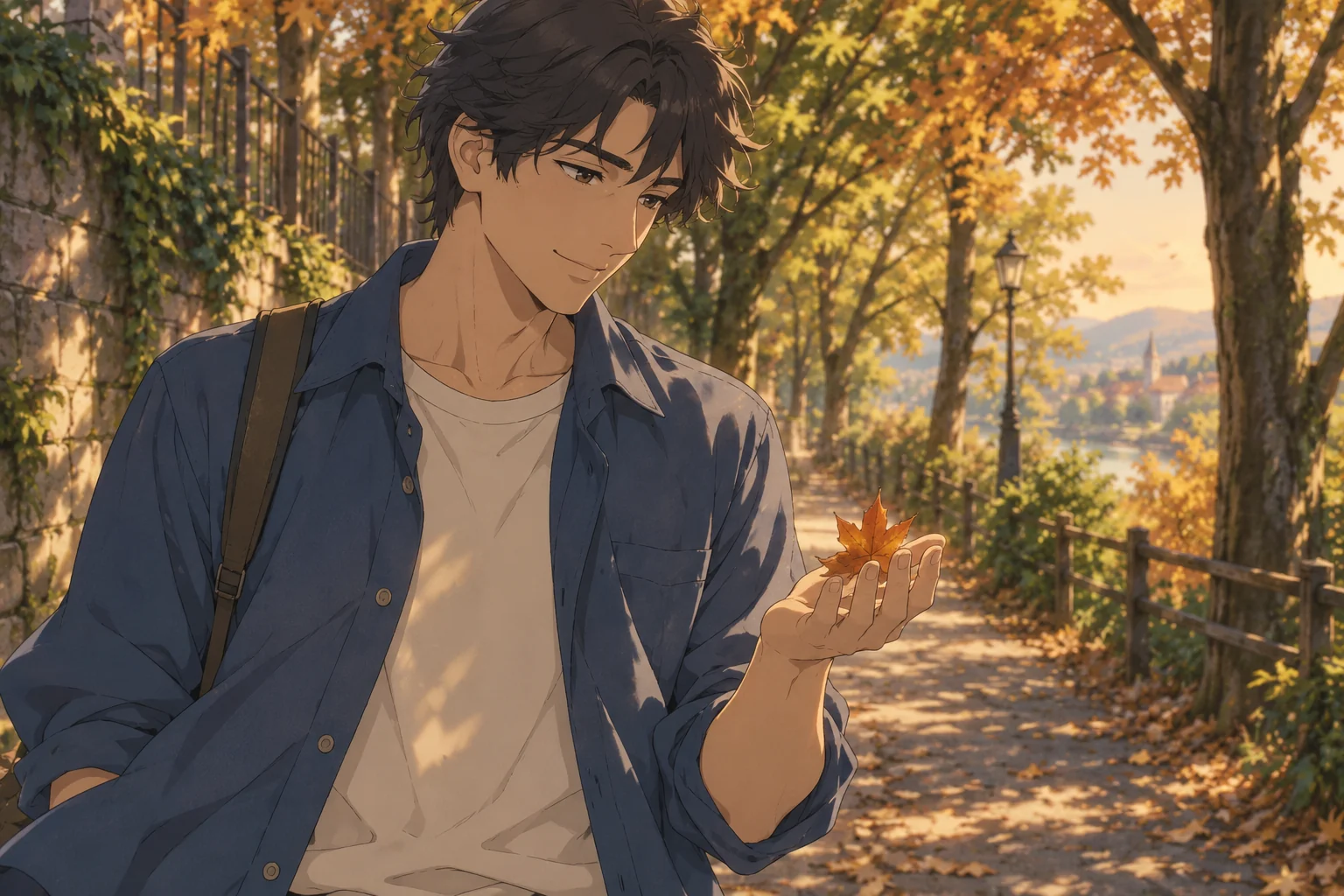
A short anime scene, not just a moving portrait
AI Anime Creator accepts a human portrait or an existing single-character illustration. The script asks for a consistent two-dimensional visual language across the scene, with a readable action and a clear ending. It is designed for a character moment rather than a complete episode or dialogue-heavy story.
The scene, from opening to ending
- 01
Set the scene
The character takes two steps along a tree-lined path, stops and turns toward a light breeze.
- 02
Build the moment
One amber leaf drifts into an open palm while the eyes follow it and the hair moves with the wind.
- 03
Resolve the story
The character smiles and releases the leaf, ending in a living held pose with a subtle blink.
Choose photos for this scene
Photo setup
Upload one adult portrait or one adult character illustration. The face, hair and main outfit should be easy to distinguish.
Before you generate
Avoid character sheets, panels and multiple poses in one image. A single clear view is a better identity reference than a collage.
Before you generate
- Check the upload labels: reference photos define identities, not start and end frames.
- Choose portrait for a vertical post or landscape for a wider scene. The source photo does not lock the output framing.
- The script, duration and resolution are preset. Generate only after checking the credit cost.
From your photos to a short film
- 1
Choose your references
Follow the role labels and upload the required photos. Select one or two photos where the template offers both options.
- 2
Confirm the format
Choose portrait or landscape. The template supplies the scene script, 15-second duration and 768P resolution; the credit cost appears before submission.
- 3
Generate and review
Create the video, check identities and motion, then play or download the MP4. Completed videos also appear in My Creations.
Questions about this video template
Can I use a drawing instead of a photo?
Yes. A single adult character illustration is an accepted input. Keep the face and design readable, without several characters or panels.
Can this generate an entire anime episode?
This template produces one 15-second scene. Longer narrative editing, voice casting and episode assembly are not included.
Is this video template free?
Video generation requires sign-in and credits. See Video templates on the Pricing page for the preset cost. Image trial allowances do not make this video free.
What can I edit, and will every result be identical?
You can choose the reference photos, the supported photo setup and the output orientation. The script and video settings are fixed. Faces, timing, motion and sound are generated and can vary.
What happens if generation fails?
Confirmed generation failures follow the site's credit-refund flow. A connection interruption is not proof of failure: retry the same request or check My Creations. Closing the page does not cancel a submitted task.
Try a different scene
All video templates
Ready to put your photos in the scene?
Choose the references above and review the credit cost before creating your video.