Product photograph
Swap in your subject and keep the structure.
A cobalt-blue reusable water bottle on pale stone. Soft daylight, natural shadows, crisp edges and a neutral background. No text or props.
Create from text, combine references, and edit images with resolution choices from 0.5K to 4K.
Find a visual direction, then make the prompt your own.
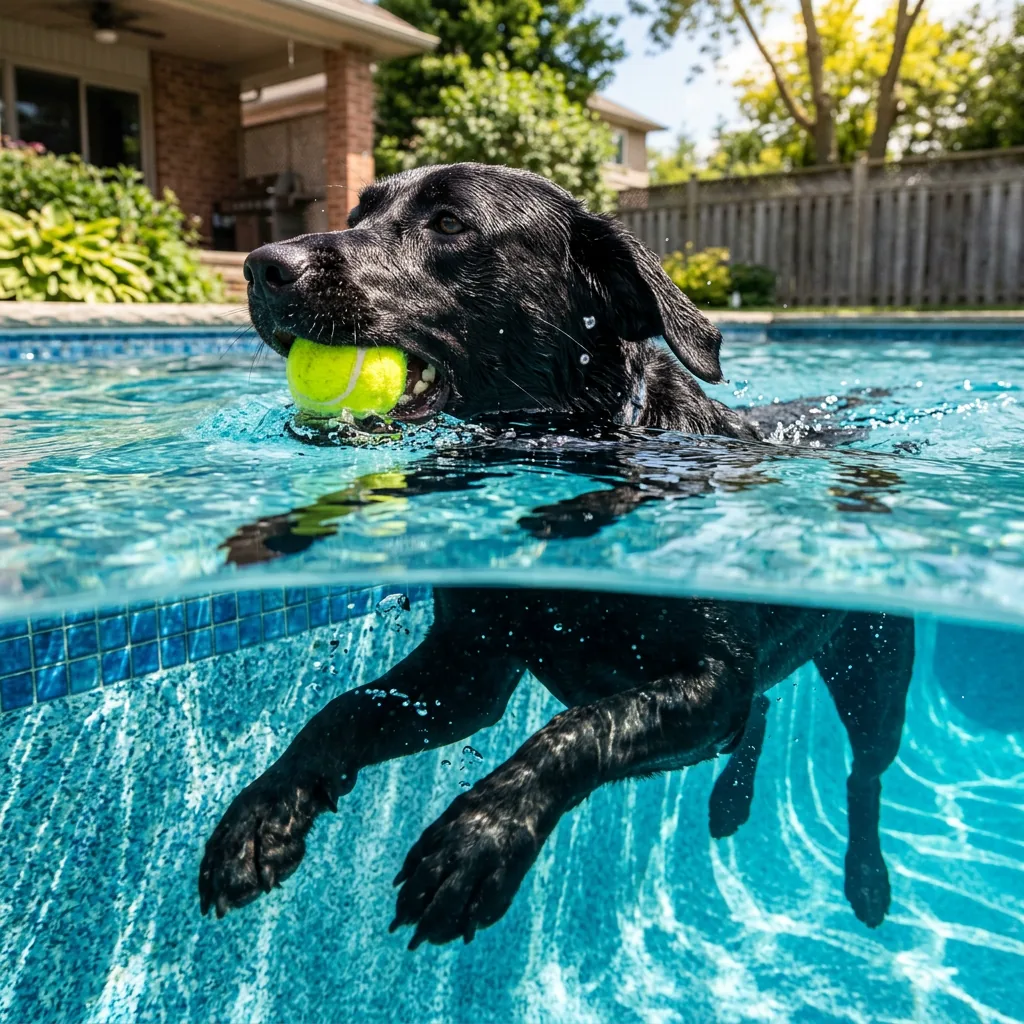
Subject, camera angle and lighting belong in the same brief. The swimming-dog example shows how a split above-and-below-water composition can be described in words.
Example prompt
An action shot of a black lab swimming in an inground suburban swimming pool. The camera is placed meticulously on the water line, dividing the image in half, revealing both the dogs head above water holding a tennis ball in it's mouth, and it's paws paddling underwater.
Swap in your subject and keep the structure.
A cobalt-blue reusable water bottle on pale stone. Soft daylight, natural shadows, crisp edges and a neutral background. No text or props.
Upload your images before generating.
Replace only the background in @image1 with a bright minimalist kitchen. Keep the main subject, proportions, color and position. Match light direction and contact shadows.
Try a composition at a smaller tier, then choose a larger resolution for a new generation. Nano Banana 2 offers 0.5K, 1K, 2K and 4K tiers here; changing the tier updates the credit estimate.
Compare the settings available for your next image.
| Settings | Flux.2 Pro | Flux.2 Max | Flux.2 Flex | Flux.2 Klein | Seedream 5.0 Lite | Seedream 5.0 Pro | Nano Banana 2 | GPT Image 2.5 |
|---|---|---|---|---|---|---|---|---|
| Resolution tiers | Standard | Standard | Standard | Standard | 2K / 3K / 4K | 1K / 2K | 0.5K / 1K / 2K / 4K | Source size when editing |
| Quality levels | Standard | Standard | Standard | Standard | Standard | Standard | Standard | Low / Medium / High |
| Reference images | Up to 4 | Up to 4 | Up to 4 | Up to 4 | Up to 4 | Up to 4 | Up to 4 | Up to 4 |
| Images per generation | 1 | 1 | 1 | 1 | 1 | 1 | 1 | 1 |
| Base credits | 17 credits | 38 credits | 38 credits | 10 credits | 14 credits | 54 credits | 32 credits | 16 credits |
| Base credits by tier | 2K: 14 / 3K: 14 / 4K: 14 | 1K: 27 / 2K: 54 | 0.5K: 24 / 1K: 32 / 2K: 48 / 4K: 63 | Low: 8 / Medium: 16 / High: 32 |
The Generate button shows the cost for your selected settings and references.
Inputs, editing, and credits—before you start.
Generate an image from a written brief, edit one uploaded image, or combine references. Start with a subject, setting, lighting and the details that matter to you.
FluxContext supports up to 4 references for this model. Upload your own JPG, PNG or WebP images, up to 4 MB each.
Available choices: 0.5K / 1K / 2K / 4K. Choose your framing and add references when you want to guide the result.
Pricing uses fixed tiers for settings and reference images. The Generate button shows the cost of your image.
Yes. Choose Edit on a delivered image to use it as your next input. Describe the change and what should stay the same. Each new generation has its own credit charge.
This model requires sign-in and enough credits. For a free first experiment, use Flux.2 on the main generator.
Not always. Review faces, product details, spelling and composition before using an image. An editing instruction is guidance, not a guarantee that every other pixel remains unchanged.
Describe your idea and start creating.