Turn an image into a prompt
Get an English description you can edit, copy or use to create a new image.
Example
Description
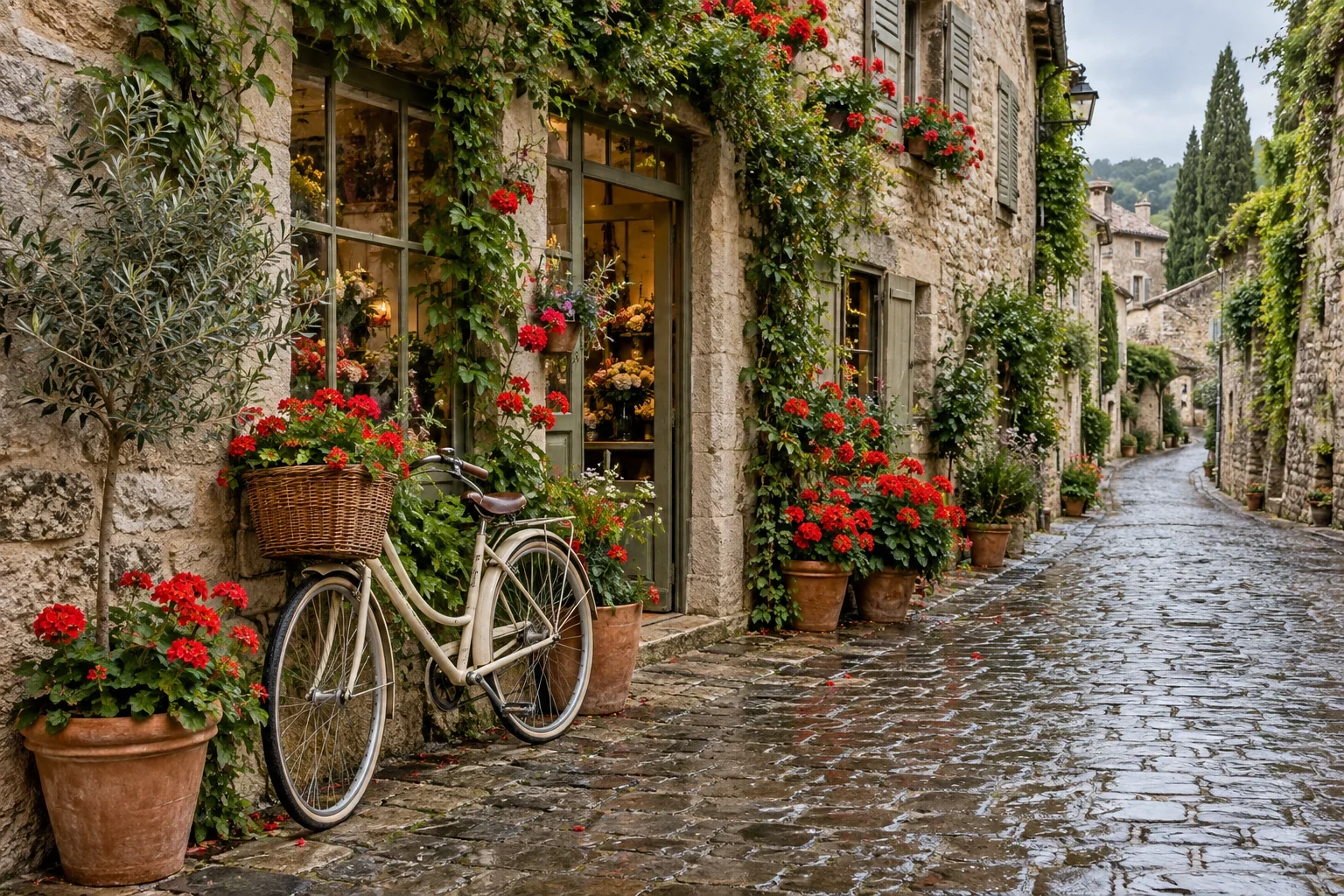
A bicycle beside a flower shop on a wet cobblestone street, red flowers in terracotta pots, stone facades and soft natural light.
A starting point for your next image
Image to prompt turns visible content into an editable English description. Use it to put a reference into words, then adapt those words to the image you want to create.
Build a useful visual brief
- Subject and surroundings
- Name the main object or scene and where it sits. Add important objects the description missed and remove irrelevant detail.
- Composition and light
- Describe framing, viewpoint, lighting and colors when they matter. A caption may not capture every spatial relationship.
- The change you want
- Turn the description into your own brief: change the weather, materials or setting rather than copying the text unchanged.
From reference to editable text
- 1
Upload a clear reference
Choose one image with a readable subject and composition. You do not need to write a prompt first.
- 2
Generate the description
Review the quoted credits and process the image. The result is text, not a new picture.
- 3
Edit, copy or create
Edit the text in the result box, copy it, or send it to image creation. Review the target draft before replacing it; creating the new image is a separate action.
Choose what you want to describe
One clear composition
Use a single image rather than a collage when you need one coherent brief. Tiny objects or lettering may be omitted.
A visual reference, not hidden settings
The image does not reveal its seed, model settings or original prompt. This tool cannot recover those values.
Make the text your own
- Correct omitted objects, invented details or misleading spatial descriptions.
- Keep the visual properties you want and explicitly name the ones you want to change.
- Descriptions are English; edit or translate the text for your intended use.
Questions about this tool
Does it find the original prompt?
No. It produces a description of visible content. The original words, seed and generation settings cannot be recovered from this description.
What language is the result in?
The current workflow generates English descriptions, including when the interface is Spanish. You can edit the text before using it.
Will using the text recreate the same image?
No. A description does not encode every visual detail, and different models interpret the same text differently. Use it as a starting point.
Does Use in image creation generate immediately?
No. It places the edited text in the image-creation draft. Review the prompt and price there before starting a separate task.
Which files can I upload?
Sign in and upload one PNG, JPG or WebP up to 4MB and 40 million pixels. Tool uploads keep the source pixel dimensions; transparent files and output limits depend on the tool.
When are credits used?
An available credit quote is required before processing. Starting a task reserves its quoted credits; failed tasks follow the existing refund flow. Opening a tool, adjusting settings or bringing in a saved image does not start a paid task.