Flux Kontext - Advanced Multi-Modal AI Image Generation at fluxcontext.orgFluxContext
  • Pricing
  1. HomeHome
  2. AI Image ModelsAI Image Models
  3. GPT Image 2.6GPT Image 2.6

GPT Image 2.6

GPT Image 2.6 Flare is OpenAI’s image generation and editing model. On FluxContext, turn text into product images and posters, or edit photos with up to four references.

GPT Image 2.6 Image Generator & Editor

Create
History

Start with an idea

Describe what you want to create. Add a reference if you need one, then adjust the options below.

About this model

GPT Image 2.6 Flare is OpenAI’s image generation and editing model. On FluxContext, turn text into product images and posters, or edit photos with up to four references.

See What a Prompt Can Become

Find a visual direction, then make the prompt your own.

From a prompt

Build a Layout from Your Brief

Describe the subject, framing and exact text together. Give a headline its own space and specify where the product belongs. Review lettering and layout in the result.

Prompt to try

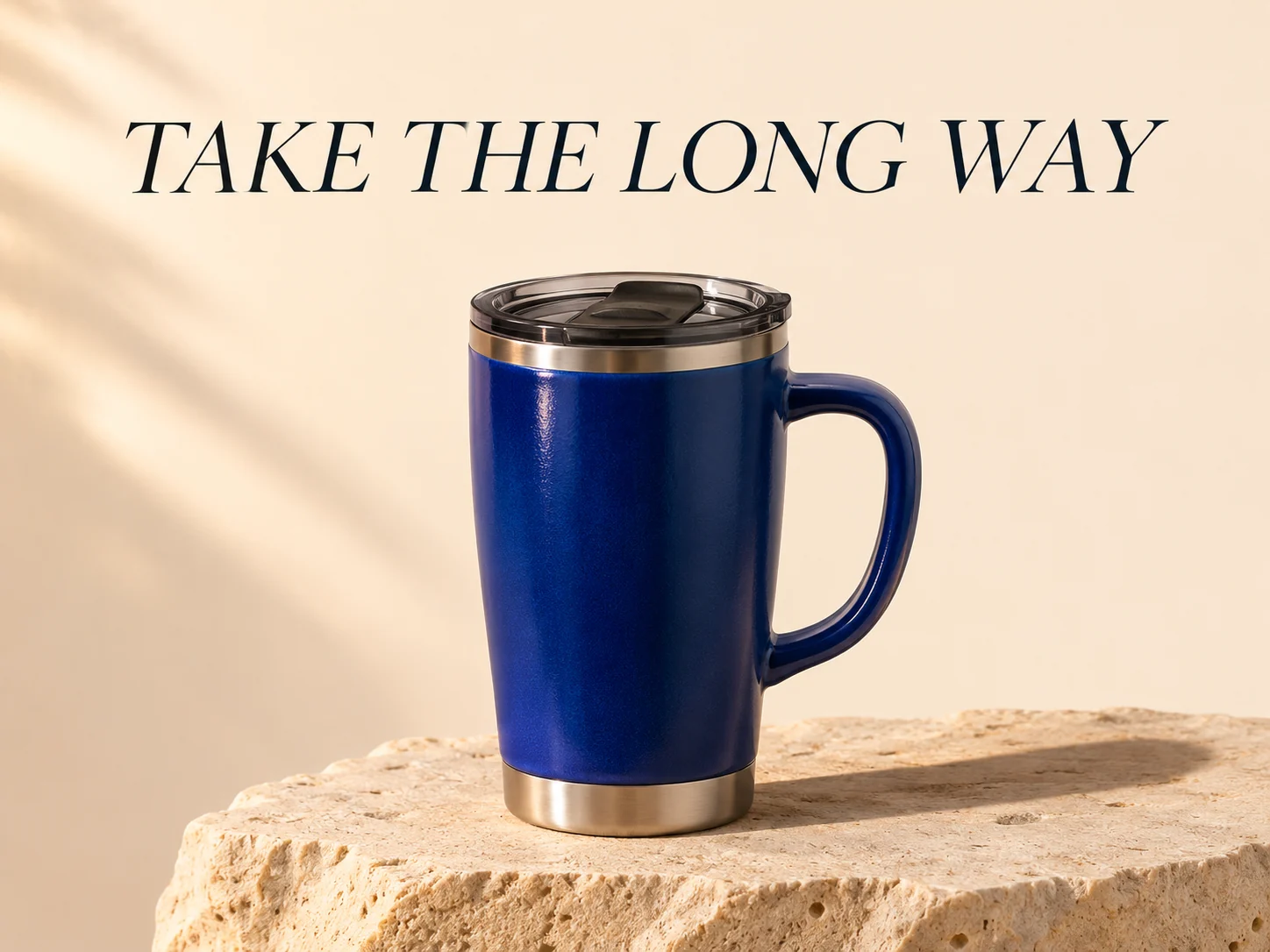
Create a landscape launch poster for a cobalt-blue travel mug. Exact headline: "TAKE THE LONG WAY". Put the headline in the upper third and the mug on pale stone below. Warm side light, generous margins, no other text.

Start with a Practical Brief

Product Launch Poster

Specify the exact headline and its position.

Create a landscape launch poster for a cobalt-blue travel mug. Exact headline: "TAKE THE LONG WAY". Put the headline in the upper third and the mug on pale stone below. Warm side light, generous margins, no other text.
Change the Setting

Upload your source and list the details to preserve.

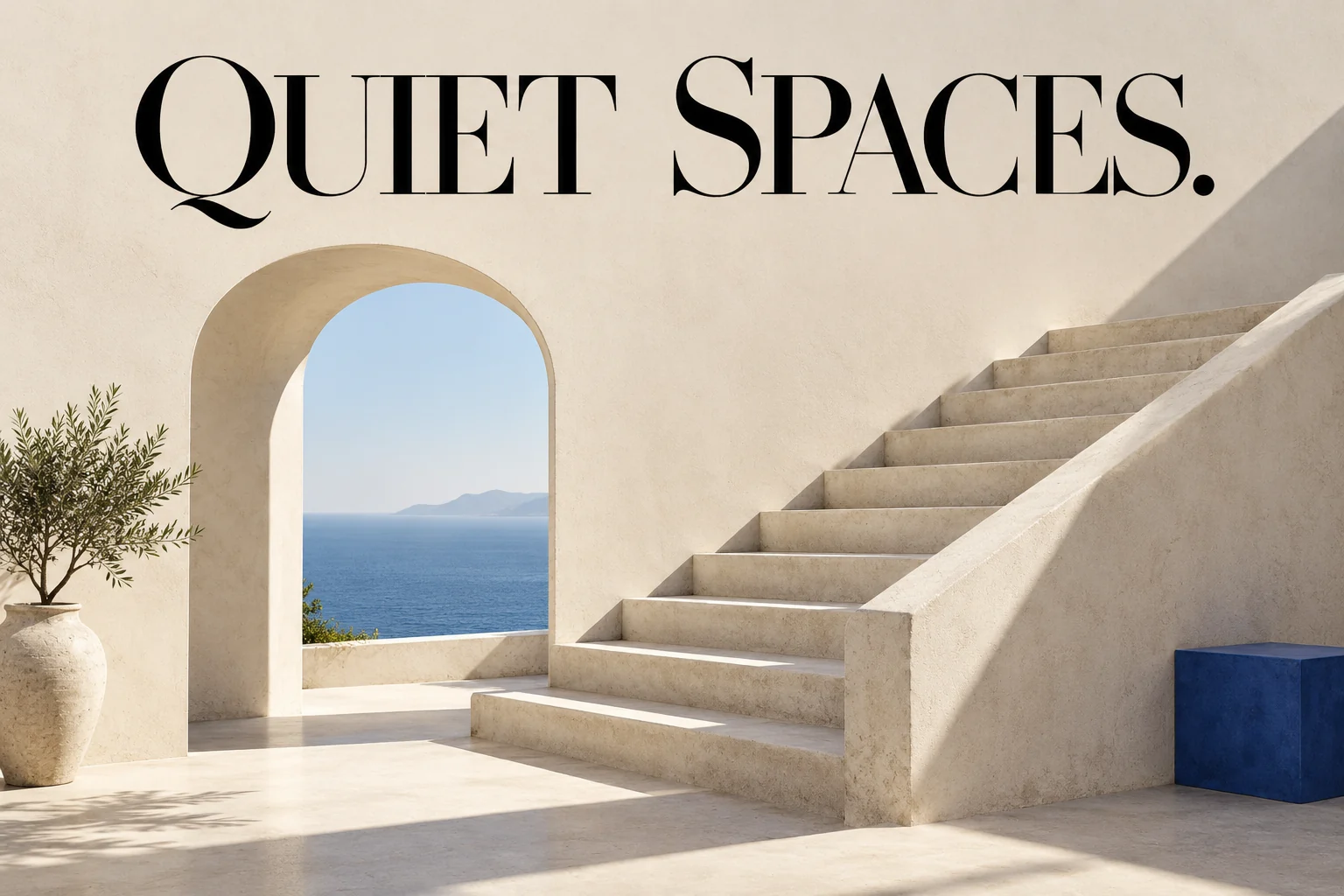
In @image1, replace only the background with a warm ivory studio backdrop. Preserve the product shape, color, label text and camera angle. Match the contact shadow to the new surface.

Tips for Reviewing Your Image

  • Check every letter at full size.
  • Compare product details with the original.
  • Revise one change at a time.

Model Specifications

Credit costs depend on the selected settings and reference inputs.

Quality levels
Low / Medium / High
Reference images
Up to 4
Base credits
30 credits
Images per generation
1

Credits by Settings and References

Each cell is the total for one image, not an additional reference charge. Reference counts within the same band have the same price.

SettingsGenerate · no referencesEdit · 1 reference imagesEdit · 2–4 reference images
Low quality25 credits35 credits65 credits
SettingsGenerate · no referencesEdit · 1 reference imagesEdit · 2–4 reference images
Medium quality30 credits50 credits75 credits
SettingsGenerate · no referencesEdit · 1 reference imagesEdit · 2–4 reference images
High quality60 credits100 credits125 credits

Editing uses automatic output sizing. The listed edit price includes this; it does not vary with the uploaded image dimensions.

Choose Quality for Each Request

Choose Low, Medium or High quality for one JPEG or PNG image per request. Text-to-image offers framing presets; edits use automatic source-based sizing.

OpenAI: GPT Image 2.6 Flare

Compare Model Specifications

Compare the settings available for your next image.

SettingsGPT Image 2.6Current modelFlux.2 ProFlux.2 MaxFlux.2 FlexFlux.2 KleinFlux 3Seedream 5.0 LiteSeedream 5.0 ProNano Banana 2Nano Banana 2.1GPT Image 2.5
Resolution tiersSource size when editingStandardStandardStandardStandard1K2K / 3K / 4K1K / 2K0.5K / 1K / 2K / 4K1K / 2K / 4KSource size when editing
Quality levelsLow / Medium / HighStandardStandardStandardStandardStandardStandardStandardStandardStandardLow / Medium / High
Reference imagesUp to 4Up to 4Up to 4Up to 4Up to 4Up to 4Up to 4Up to 4Up to 4Up to 4Up to 4
Images per generation11111111111
Base credits30 credits17 credits38 credits38 credits10 credits20 credits14 credits54 credits32 credits24 credits16 credits
Base credits by tierLow quality: 25 / Medium quality: 30 / High quality: 60Standard output: 17Standard output: 38Standard output: 38Standard output: 101K: 202K: 14 / 3K: 14 / 4K: 141K: 27 / 2K: 540.5K: 24 / 1K: 32 / 2K: 48 / 4K: 631K: 24 / 2K: 32 / 4K: 63Low quality: 8 / Medium quality: 16 / High quality: 32

Credit costs depend on the selected settings and reference inputs.

Find the Model for Your Next Image

AI Image Models

Nano Banana 2.1

Visual layouts and reference editing in 1K–4K.

GPT Image 2.5

Text-led creation and descriptive image editing.

Questions About GPT Image 2.6

Inputs, editing, and credits—before you start.

Which GPT Image 2.6 Model Is Used Here?

GPT Image 2.6 Flare by OpenAI turns text briefs into images and edits uploaded photos. Use it here for product scenes, posters and focused changes to a background, color or material. GPT Image 2.5 remains available on its own page.

How Many Reference Images Can I Use?

FluxContext supports up to 4 reference images for GPT Image 2.6. You can assign roles (Subject, Background, Style) and upload JPG, PNG, or WebP files up to 4MB each.

What Controls Are Available?

This workspace offers three quality levels, up to four references and JPEG or PNG output. Reasoning effort is fixed at Low. SVG, GIF, Sunburst and markup-guided editing are not offered here.

How Many Credits Does GPT Image 2.6 Use?

Text-to-image starts at 25 credits with Low quality; the default Medium request costs 30 credits. Quality and reference count affect the quote. Each generation or edit is a separate request.

Can I Keep Editing a Result?

Yes. Click Edit on any delivered image to continue refining with natural language while preserving earlier versions in your history. You can also click Generate video to turn it into an animated clip.

Can I Try GPT Image 2.6 for Free?

GPT Image 2.6 requires signing in and enough credits for the request. The 10 signup credits do not cover its lowest-priced generation at 25 credits. To try image generation without paying, use the separate free FLUX.2 model.

Will It Preserve Every Detail When Editing?

AI image editing interprets your prompt within the visual context rather than locking exact pixels. To maximize detail preservation, clearly specify which elements must remain untouched and describe only the changes you need.

Create Your Next Image with GPT Image 2.6

Describe your idea and start creating.

Start creating
More links
FluxContext

Create images and videos with AI. Choose a model, prepare a frame, and bring it to life.

Create

  • Text to Image
  • Image to Image
  • Generate video
  • Your creations

Image tools

  • Remove background
  • Upscale image
  • Restore photo
  • Image to prompt
  • All image tools

Image models

  • All image models
  • FLUX 3
  • FLUX.2
  • Nano Banana 2
  • Seedream 5.0 Pro
  • Seedream 5.0 Lite
  • GPT Image 2.6
  • GPT Image 2.5

Video models

  • All video models
  • MiniMax H3
  • Seedance 2.5
  • Kling 3.0
  • Veo 3.1 Fast
  • Gemini Omni Flash

Image templates

  • AI headshots
  • AI posters
  • Photo to sketch
  • AI outfit generator
  • Photo restoration template
  • All image templates

Video templates

  • All video templates
  • AI Hug
  • AI Pet Dance
  • Zombie Transformation
  • AI Anime Creator

Resources

  • AI Art Gallery
  • Pricing
  • Contact
  • FLUX model guide
  • Multi-reference guide
  • Kontext vs. FLUX.2

© 2026 • FluxContext. All rights reserved.

EnglishEspañol
  • Privacy Policy
  • Terms of Service
  • Refund Policy
ModelsToolsCreateTemplatesMe