Flux Kontext - Advanced Multi-Modal AI Image Generation at fluxcontext.orgFluxContext
  • Pricing
  1. HomeHome
  2. AI Image ModelsAI Image Models
  3. Flux 3Flux 3

Flux 3

Generate 1K images with FLUX 3 or edit your photos with up to 4 references. Choose JPEG or PNG, review the credit quote, and create in one workspace.

Flux 3 Image Generator & Editor

Create
History

Start with an idea

Describe what you want to create. Add a reference if you need one, then adjust the options below.

About this model

Generate 1K images with FLUX 3 or edit your photos with up to 4 references. Choose JPEG or PNG, review the credit quote, and create in one workspace.

See What a Prompt Can Become

Find a visual direction, then make the prompt your own.

From a prompt

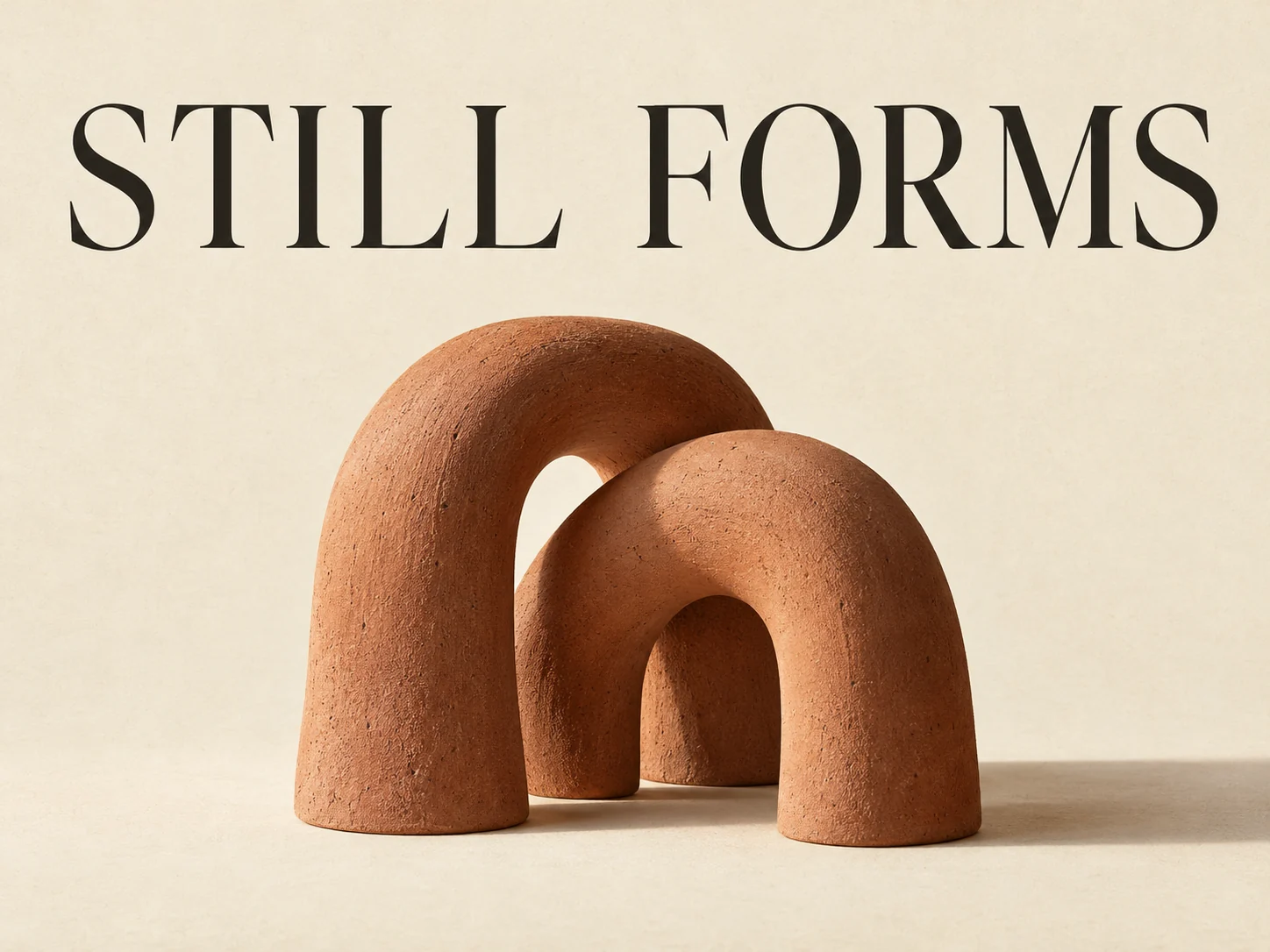
Give Text a Place in the Composition

For a poster, specify the exact headline, its position, the subject and the empty space around them. Review every letter before publishing.

Prompt to try

Create an exhibition poster titled "STILL FORMS". Place the headline above two interlocking terracotta arches on warm ivory paper. Leave generous margins. Soft side light, muted colors, no other text or logos.

Start with a Practical Brief

A Poster with One Exact Headline

Replace the headline and subject; check every letter in the result.

Create a vertical exhibition poster. Exact headline: "STILL FORMS". Place the headline in the upper quarter, with a single terracotta sculpture below on warm ivory paper. Leave generous margins and clear space between the letters and sculpture. Soft side light, muted colors. No other text or logos.
Change a Material, Keep the Room

Upload a room photo at least 256 pixels on each side; save the original for comparison.

In @image1, change only the tabletop material to pale oak. Preserve the table's shape, legs, position and perspective. Keep every other object, wall, floor and light source unchanged. Match the existing shadows. Do not add text or objects.

Product and Setting from Two References

Upload the product first and setting second. Choose an explicit aspect ratio if you do not want the first image's framing.

Use @image1 as the product reference and @image2 as the setting reference. Place the product from @image1 on a surface in the setting of @image2. Preserve the product silhouette, color, material and existing label. Match the setting's camera angle and lighting, with a realistic contact shadow. Do not invent extra text or duplicate the product.

Tips for Reviewing Your Image

  • Read lettering at full size; correct text in the prompt does not guarantee correct output.
  • Compare untouched areas with the original, including faces, labels and object shapes.
  • Check framing and contact shadows before downloading; keep a copy before the next paid edit.

Model Specifications

The 1K credit quote covers one image, with or without references. Review it before submitting.

Resolution tiers
1K
Reference images
Up to 4
Base credits
20 credits
Images per generation
1

Credits by Settings and References

Each cell is the total for one image, not an additional reference charge. Reference counts within the same band have the same price.

SettingsGenerate · no referencesEdit · 1 reference imagesEdit · 2–4 reference images
1K20 credits20 credits20 credits

The Scope of This Workspace

This page offers 1K output in JPEG or PNG and up to four reference images. It does not offer 2K, 4K, masks or video generation. Keep the original: an instruction to preserve a detail is not a pixel lock.

Before Your First FLUX 3 Image

Start from Text or Your Own Images

Use text-to-image for a new composition, or switch to editing and upload a source. Reference-based creation can combine up to four images in one request.

Prepare References at the Right Size

Each reference must be at least 256 pixels wide and 256 pixels tall. Put the main source first; automatic aspect ratio in an edit follows that first image.

1K Is the Available Output Tier Here

Choose framing and JPEG or PNG for your output. Higher resolutions and the provider's larger reference allowance are not exposed in this workspace.

Review Before Using a Result

Check text, faces, product details and areas that should remain unchanged. The prompt briefs below are starting instructions, not verified examples or a quality benchmark.

Provider API documentation; the limits above describe FluxContext's integration

  • fal: FLUX 3 text-to-image
  • fal: FLUX 3 image editing

Compare Model Specifications

Compare the settings available for your next image.

SettingsFlux 3Current modelFlux.2 ProFlux.2 MaxFlux.2 FlexFlux.2 KleinSeedream 5.0 LiteSeedream 5.0 ProNano Banana 2Nano Banana 2.1GPT Image 2.5
Resolution tiers1KStandardStandardStandardStandard2K / 3K / 4K1K / 2K0.5K / 1K / 2K / 4K1K / 2K / 4KSource size when editing
Quality levelsStandardStandardStandardStandardStandardStandardStandardStandardStandardLow / Medium / High
Reference imagesUp to 4Up to 4Up to 4Up to 4Up to 4Up to 4Up to 4Up to 4Up to 4Up to 4
Images per generation1111111111
Base credits20 credits17 credits38 credits38 credits10 credits14 credits54 credits32 credits24 credits16 credits
Base credits by tier1K: 20Standard output: 17Standard output: 38Standard output: 38Standard output: 102K: 14 / 3K: 14 / 4K: 141K: 27 / 2K: 540.5K: 24 / 1K: 32 / 2K: 48 / 4K: 631K: 24 / 2K: 32 / 4K: 63Low quality: 8 / Medium quality: 16 / High quality: 32

The 1K credit quote covers one image, with or without references. Review it before submitting.

Find the Model for Your Next Image

AI Image Models

Flux.2 Pro

Everyday image creation and reference-based editing.

Nano Banana 2

Flexible resolutions and reference-based creation.

Questions About Flux 3

Inputs, editing, and credits—before you start.

What Can I Make with FLUX 3 Here?

Create a 1K image from a text brief, edit an uploaded photo, or use several references to guide a composition. The same workspace handles these image tasks; this is not a FLUX 3 video generator.

How Many References Can I Upload?

Up to 4 images in FluxContext. Each must be at least 256 pixels on both sides. Describe the role of each reference, and place the main source first when using automatic framing.

Can I Generate 2K or 4K Images?

Not in this workspace. FLUX 3 is offered at 1K here, with aspect-ratio choices and JPEG or PNG output. Mask-based editing and advanced sampling controls are not available.

Do Editing and Extra References Cost More?

The current 1K quote is 20 credits for one generated or edited image. Adding references within the four-image limit does not increase this model's quote. Each new generation or edit is a separate request.

Can I Refine a Delivered Image?

Yes. Use Edit on a delivered image, describe the next change and review the new credit quote. Download a version you want to retain before continuing.

Is FLUX 3 Free to Use?

No. FLUX 3 requires signing in and enough credits for the quoted request. The separate free FLUX.2 model remains available for trying the basic workflow.

Will Editing Preserve Every Detail?

No exact preservation is guaranteed. Name the details that must remain unchanged, ask for one focused change, then inspect the output. Check small lettering and identity-critical details especially carefully.

Create Your Next Image with Flux 3

Describe your idea and start creating.

Start creating
More links
FluxContext

Create images and videos with AI. Choose a model, prepare a frame, and bring it to life.

Create

  • Text to Image
  • Image to Image
  • Generate video
  • Your creations

Image tools

  • Remove background
  • Upscale image
  • Restore photo
  • Image to prompt
  • All image tools

Image models

  • All image models
  • FLUX 3
  • FLUX.2
  • Nano Banana 2
  • Seedream 5.0 Pro
  • Seedream 5.0 Lite
  • GPT Image 2.5

Video models

  • All video models
  • MiniMax H3
  • Seedance 2.5
  • Kling 3.0
  • Veo 3.1 Fast
  • Gemini Omni Flash

Image templates

  • AI headshots
  • AI posters
  • Photo to sketch
  • AI outfit generator
  • Photo restoration template
  • All image templates

Video templates

  • All video templates
  • AI Hug
  • AI Pet Dance
  • Zombie Transformation
  • AI Anime Creator

Resources

  • AI Art Gallery
  • Pricing
  • Contact
  • FLUX model guide
  • Multi-reference guide
  • Kontext vs. FLUX.2

© 2026 • FluxContext. All rights reserved.

EnglishEspañol
  • Privacy Policy
  • Terms of Service
  • Refund Policy
ModelsToolsCreateTemplatesMe