Find the framing
Swap in your subject and keep the structure.
A street photograph of a cyclist passing a pale blue wall at sunrise. Wide composition, long shadows, natural colors, sharp subject.
Explore visual directions, fast composition drafts, and color variations with FLUX.2 [klein]. Supports up to four input references with 9B speed.
Find a visual direction, then make the prompt your own.
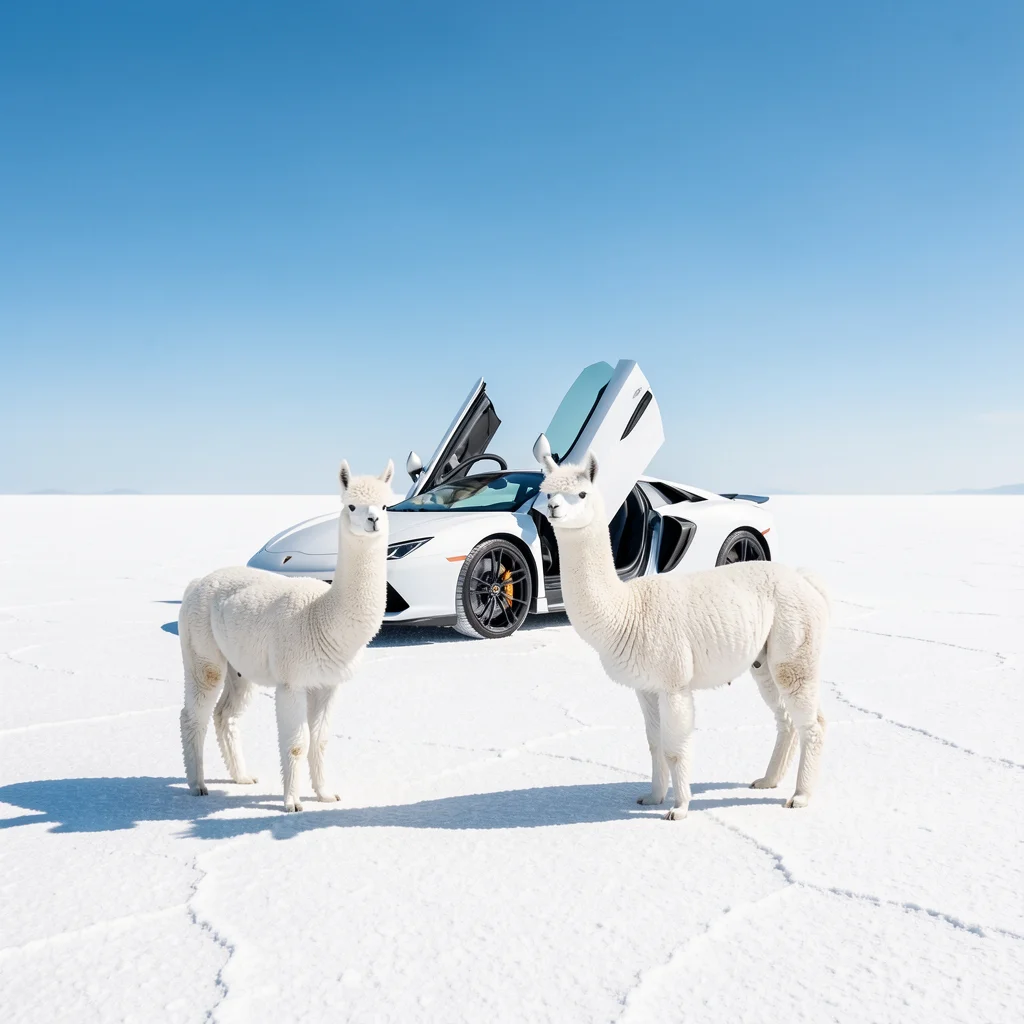
Early variations in composition, color and mood.
Example prompt
A bright, surreal scene on a vast white salt flat under a clear blue sky, featuring two fluffy white alpacas standing in the foreground. Behind them sits a sleek white supercar with its scissor doors open, creating a dramatic futuristic silhouette. The sunlight is strong and crisp, casting sharp shadows on the ground and giving the image a clean, high-contrast cinematic look. Minimalist composition, playful luxury vibe, ultra sharp detail, wide-angle perspective, high resolution.
Swap in your subject and keep the structure.
A street photograph of a cyclist passing a pale blue wall at sunrise. Wide composition, long shadows, natural colors, sharp subject.
Upload your images before generating.
Keep the subject and composition in @image1. Change warm sunset light to cool overcast daylight. Preserve camera angle and all objects.
Once your direction is clear, compare Pro to develop a finished image.
Compare the settings available for your next image.
| Settings | Flux.2 Pro | Flux.2 Max | Flux.2 Flex | Flux.2 Klein | Seedream 5.0 Lite | Seedream 5.0 Pro | Nano Banana 2 | GPT Image 2.5 |
|---|---|---|---|---|---|---|---|---|
| Resolution tiers | Standard | Standard | Standard | Standard | 2K / 3K / 4K | 1K / 2K | 0.5K / 1K / 2K / 4K | Source size when editing |
| Quality levels | Standard | Standard | Standard | Standard | Standard | Standard | Standard | Low / Medium / High |
| Reference images | Up to 4 | Up to 4 | Up to 4 | Up to 4 | Up to 4 | Up to 4 | Up to 4 | Up to 4 |
| Images per generation | 1 | 1 | 1 | 1 | 1 | 1 | 1 | 1 |
| Base credits | 17 credits | 38 credits | 38 credits | 10 credits | 14 credits | 54 credits | 32 credits | 16 credits |
| Base credits by tier | 2K: 14 / 3K: 14 / 4K: 14 | 1K: 27 / 2K: 54 | 0.5K: 24 / 1K: 32 / 2K: 48 / 4K: 63 | Low: 8 / Medium: 16 / High: 32 |
The Generate button shows the cost for your selected settings and references.
Inputs, editing, and credits—before you start.
Yes. The paid 9B variant supports up to four references here; the free model supports single-image editing.
Generate an image from a written brief, edit one uploaded image, or combine references. Start with a subject, setting, lighting and the details that matter to you.
FluxContext supports up to 4 references for this model. Upload your own JPG, PNG or WebP images, up to 4 MB each.
Available choices: Standard. Choose your framing and add references when you want to guide the result.
Pricing uses fixed tiers for settings and reference images. The Generate button shows the cost of your image.
Yes. Choose Edit on a delivered image to use it as your next input. Describe the change and what should stay the same. Each new generation has its own credit charge.
This model requires sign-in and enough credits. For a free first experiment, use Flux.2 on the main generator.
Not always. Review faces, product details, spelling and composition before using an image. An editing instruction is guidance, not a guarantee that every other pixel remains unchanged.
Describe your idea and start creating.