AI fisheye portrait generator
Give your portrait the bold perspective of a fisheye lens.

Make perspective part of the portrait
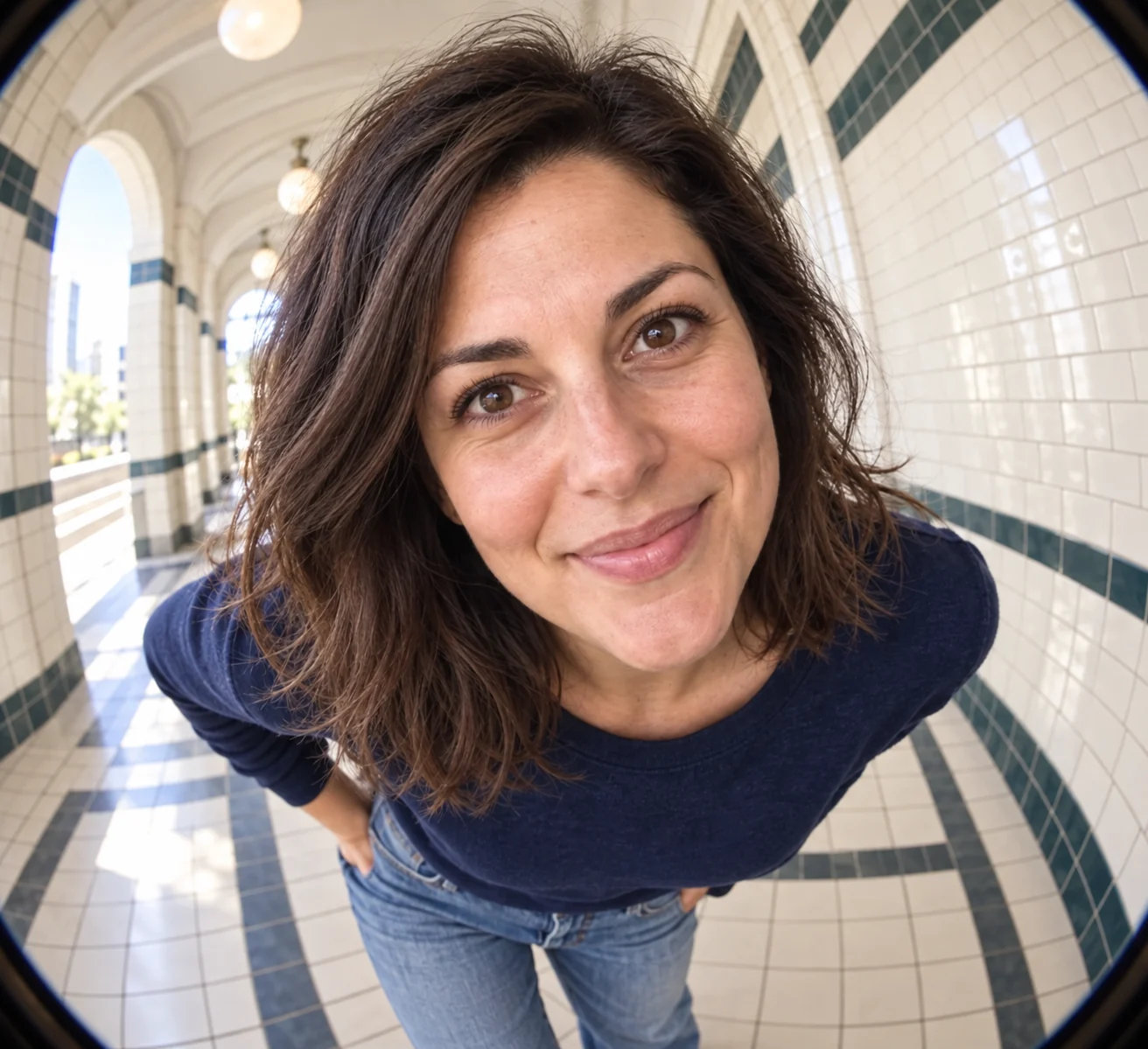
The sample uses a close camera and curved corridor lines. The enlarged head relative to the torso is deliberate; it should still represent the source person.
Recognize the lens effect
- Close viewpoint
- Parts nearer the camera appear larger.
- Curved architecture
- The corridor bends around the subject.
- Changed setting
- The brief requests a bright tiled corridor, not the original background.
Choose a readable face and pose
Include the upper body
Shoulders and clothing help connect the distorted face to a coherent pose.
Avoid existing lens distortion
A conventional source portrait gives a clearer identity reference.
Separate exaggeration from mistakes
- Compare the eyes and smile with the source.
- Check arms, shoulders and hands.
- Look for continuous curves rather than broken walls.
Using a fisheye portrait
Can I adjust lens strength?
No lens-strength control is exposed in this preset.
Will it keep my background?
The preset requests a corridor. Use the image editor for a background-preserving edit.
Is it suited to a neutral business profile?
It is deliberately exaggerated. Professional headshot offers conventional profile styling.