AI holiday portrait generator
Add warm holiday lights and a seasonal setting to your portrait.
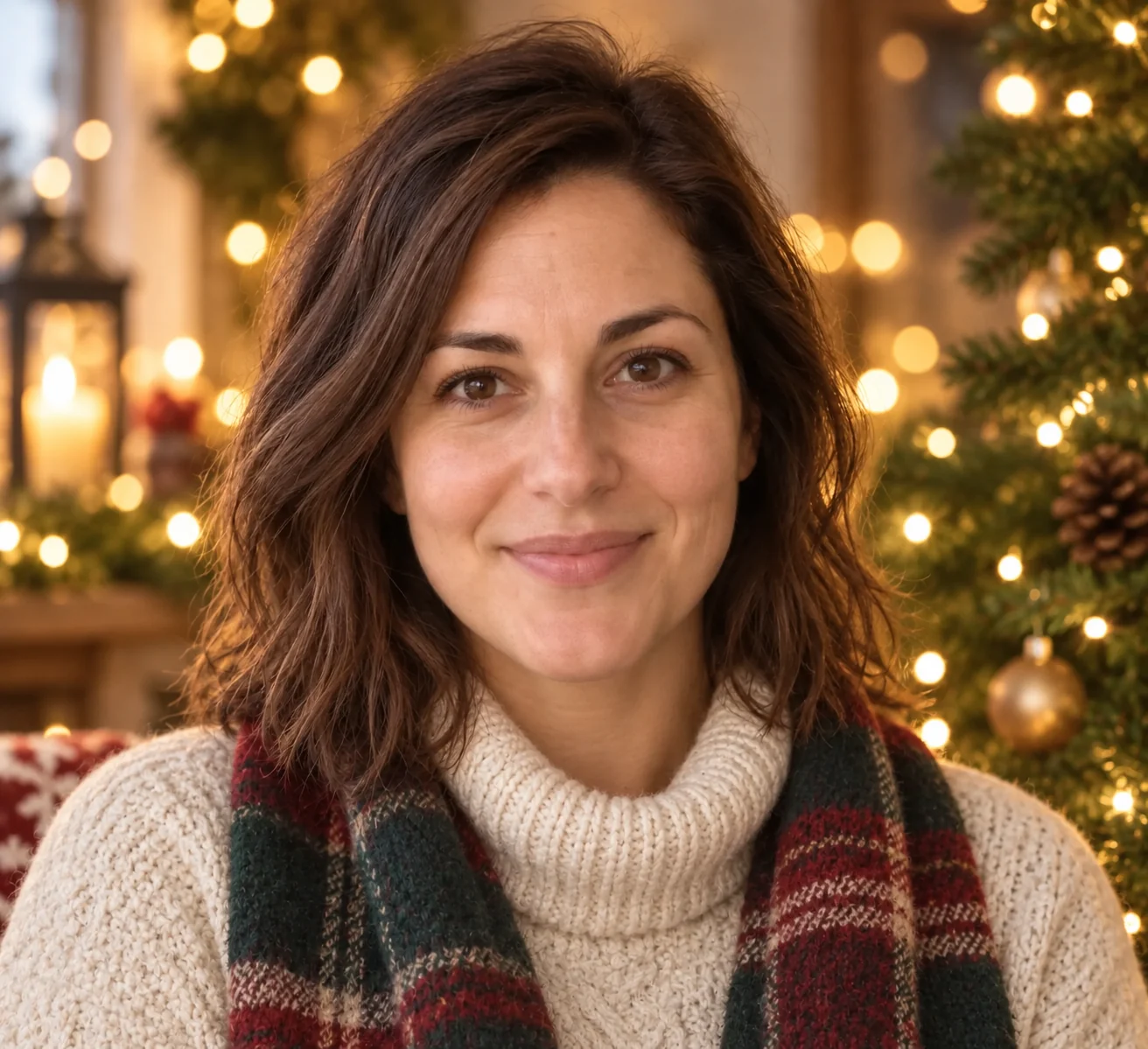

Keep the face, change the season
The sample adds a knitted outfit and golden tree lights to a familiar face. The setting should support the person, not turn them into an unrelated festive character.
Read the festive treatment
- Warm light
- Golden background lights create depth without adding words.
- Winter clothing
- The preset requests cozy clothing rather than an exact outfit match.
- Facial continuity
- Compare the eyes and expression before judging decorations.
Choose a clear seasonal portrait source
Leave some shoulder room
A wider crop gives the winter clothing room to fit.
Keep features visible
Avoid sunglasses, strong face filters and deeply shadowed eyes.
Before sharing the holiday portrait
- Check skin tones under the warm lighting.
- Inspect knit patterns around the neck and shoulders.
- Look for decorations merging into hair or ears.
Holiday portrait choices
Can I add a holiday greeting?
This preset creates a portrait without text. Use Holiday card to incorporate a greeting.
Can I select a different holiday scene?
There is no scene selector here; the brief uses evergreen branches and warm lights.
Will my original outfit stay unchanged?
Not necessarily. Winter clothing is part of this transformation.